Unit of measurement
The unit of measure terminology in Odoo will describe the user on the qualified unit that can measure the product.These units vary by product.For example, liquids are always measured in liters or ounces, while solids are measured in kilograms, numbers, pounds, etc. The Odoo platform enables users to create and manage various units of measurement within the platform.Additionally, multiple units of measure can be assigned to a product to describe the unit of measure.
To use measurement unit terms in the platform, users should first enable the measurement unit option in the settings menu.From the settings menu itself, users can navigate to the measurement unit menu.
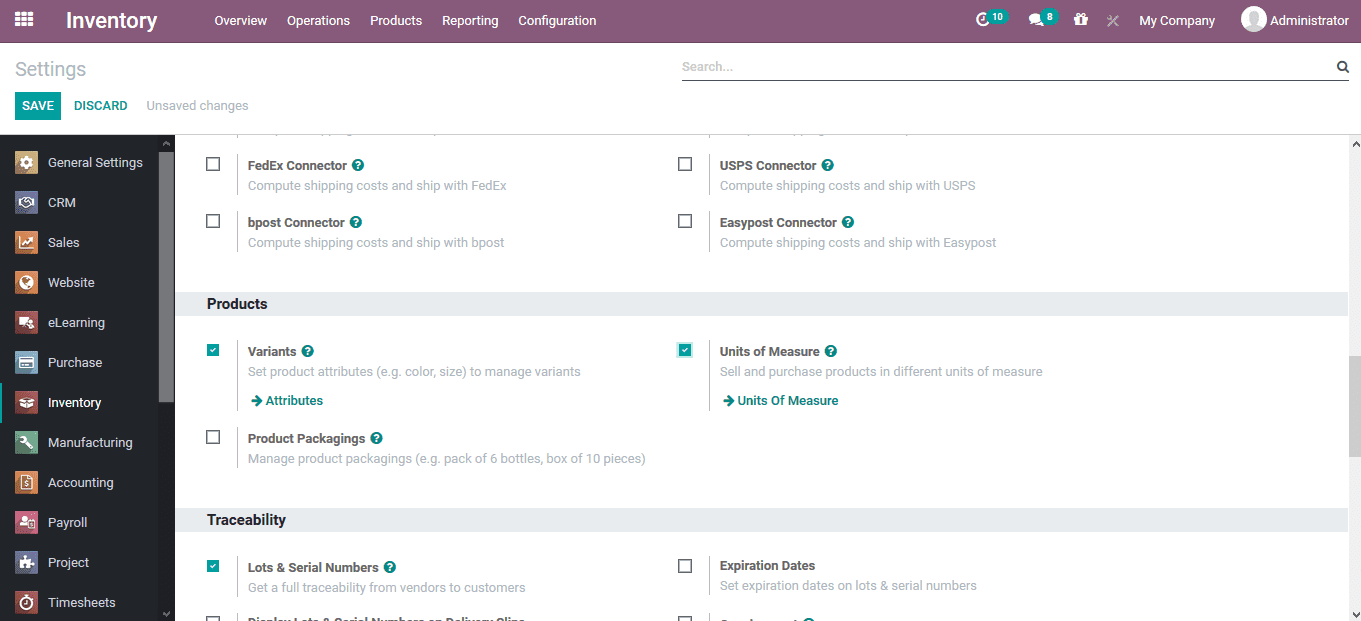
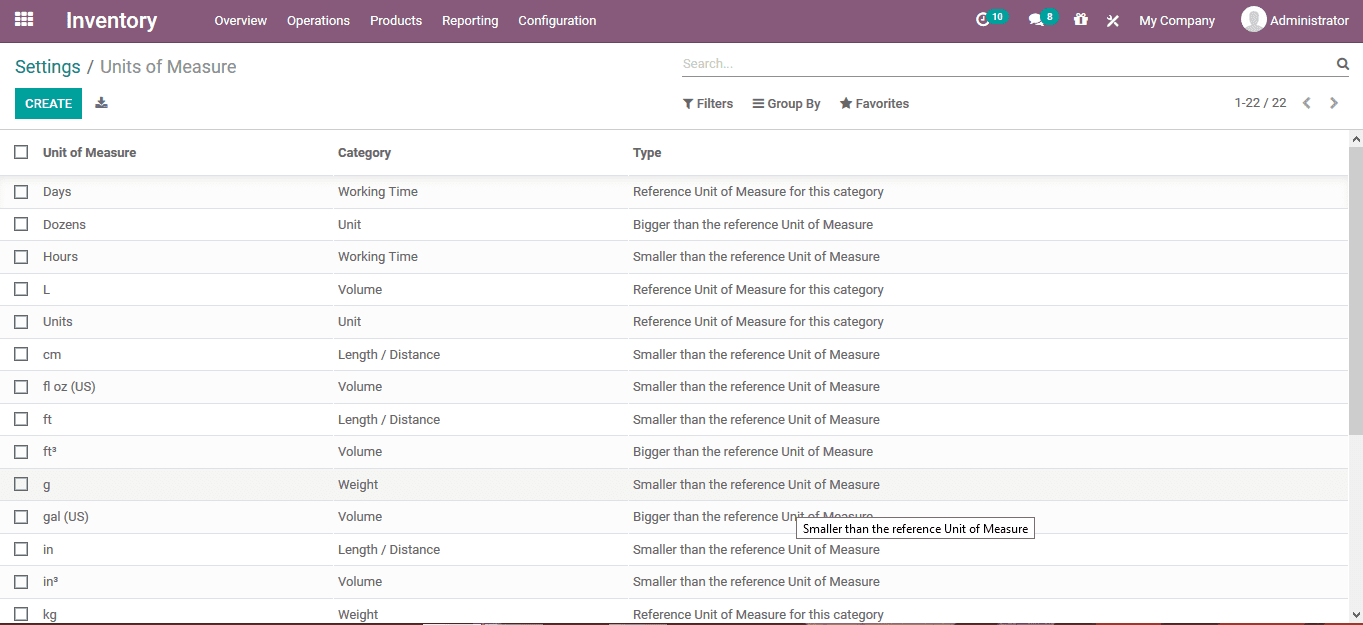
You can filter and organize the unit of measure menu using various default attributes and available customization options.Units of measure are also a localization aspect of the Odoo platform, allowing users to measure quantities according to the localization rules of their business operations.
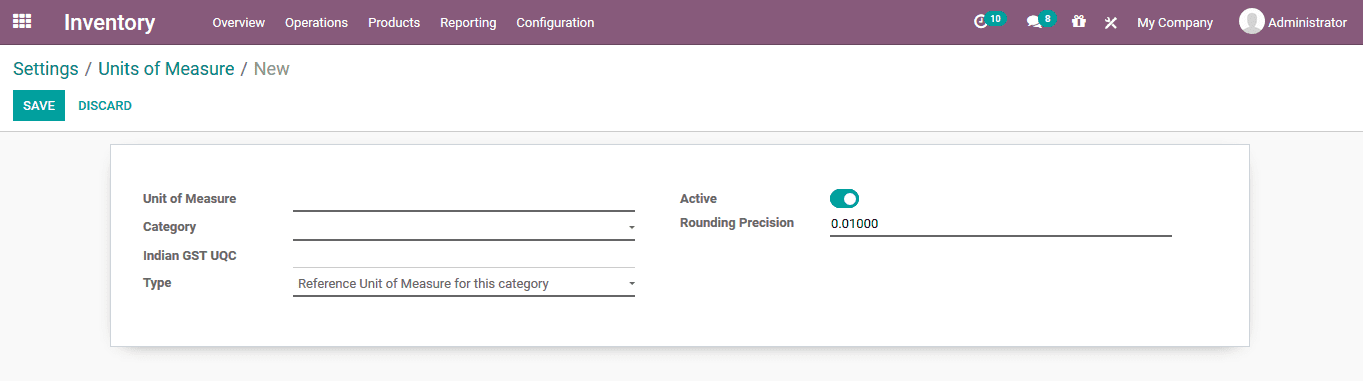
You can create a new unit of measure using the available creation menu.The unit of measure can be described, and you can also assign operation categories, types, localized tax rules, and rounding precision.
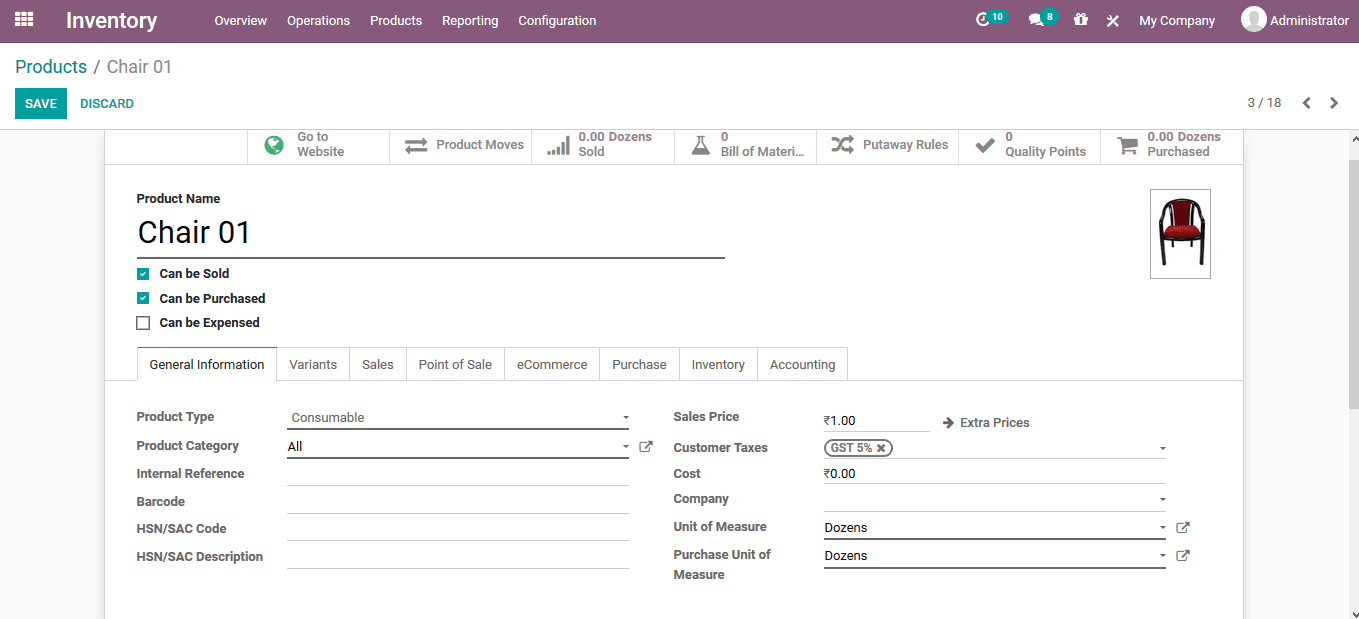
Assign unit of measure to product
Product units can be assigned to products for which operations can be configured.Under the Product Description tab for each product, users can assign the corresponding unit of measure from the units described in the platform.The purchasing unit of measure may differ from the one described by the company and can be reconciled during replenishment.
Measurement units transfer from one unit to another
The unit of measure for purchased products may differ from the unit of measure described or specified by the company.This discrepancy will cause issues in inventory operations.However, the available options in the Odoo platform will resolve this problem.To illustrate the automatic replenishment options for units of measure in Odoo, a purchase quotation can be created.Under the Purchase module, a new RFQ will be created for products that have a different unit of measure than the one described in the platform.To further illustrate, the unit of measure for the whiteboard marker is based on the platform description as units.Although the RFQ is based on a description of dozens.The quotation is used for the supplier and the order is confirmed.
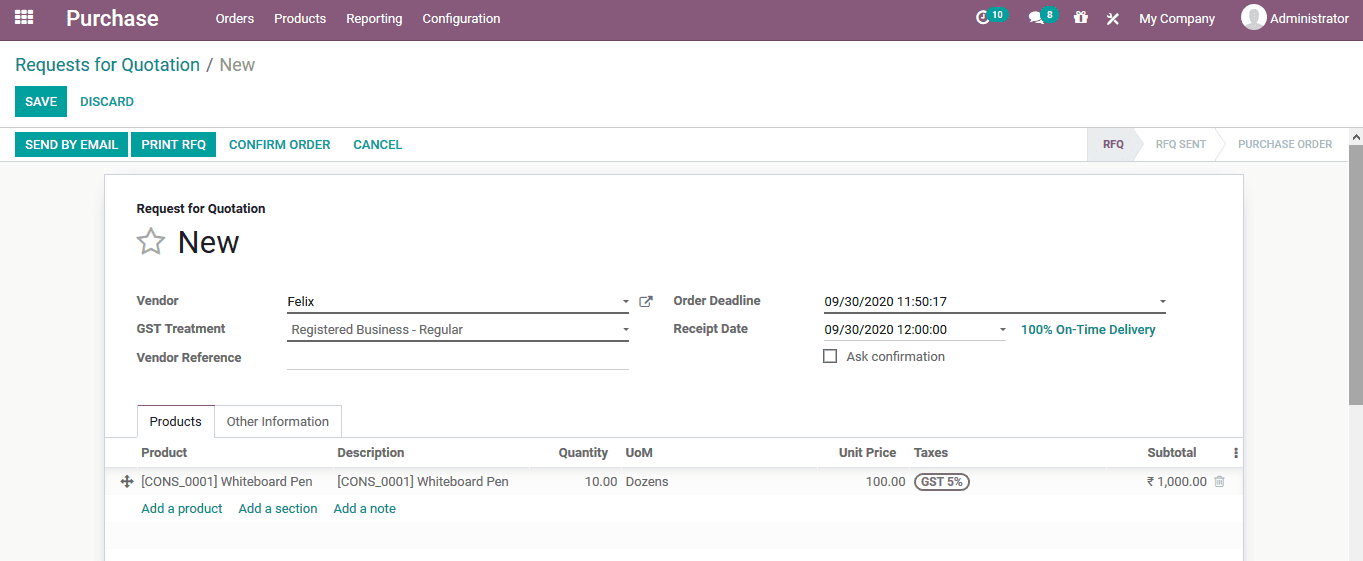
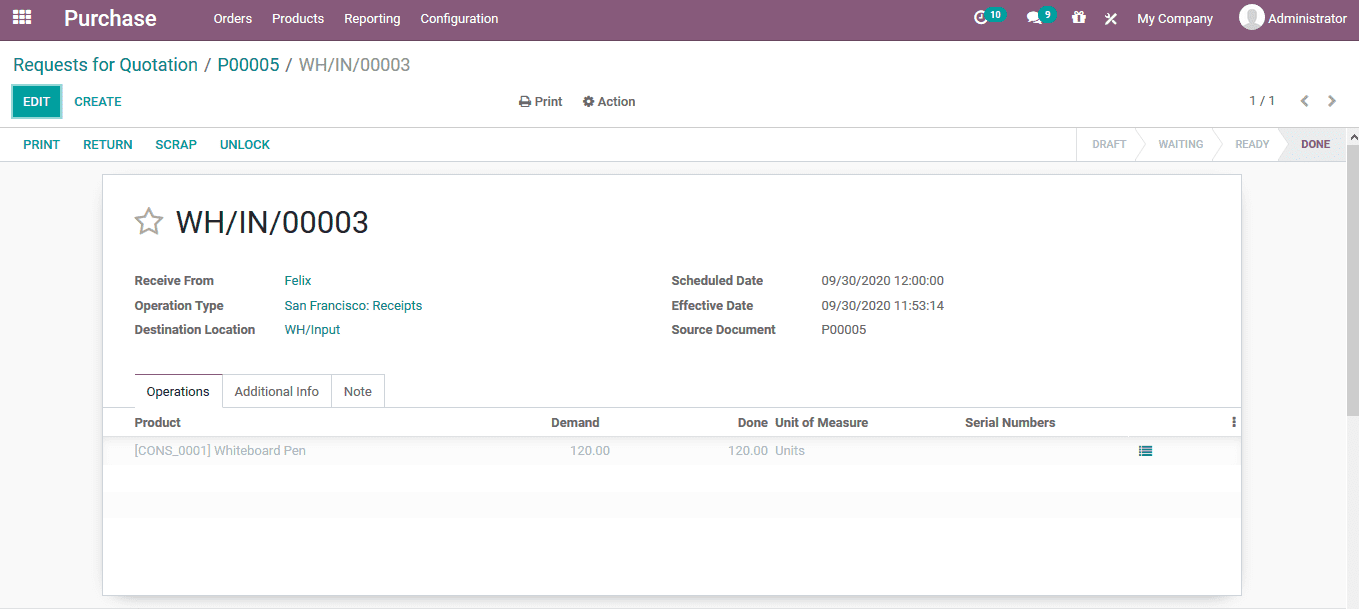
After confirming the order, the product will be received through verification within the receiving window.Verify the product quantity and change the unit of measure under the product description to the corresponding unit described in the RFQ description.
本课程未启用评论功能。