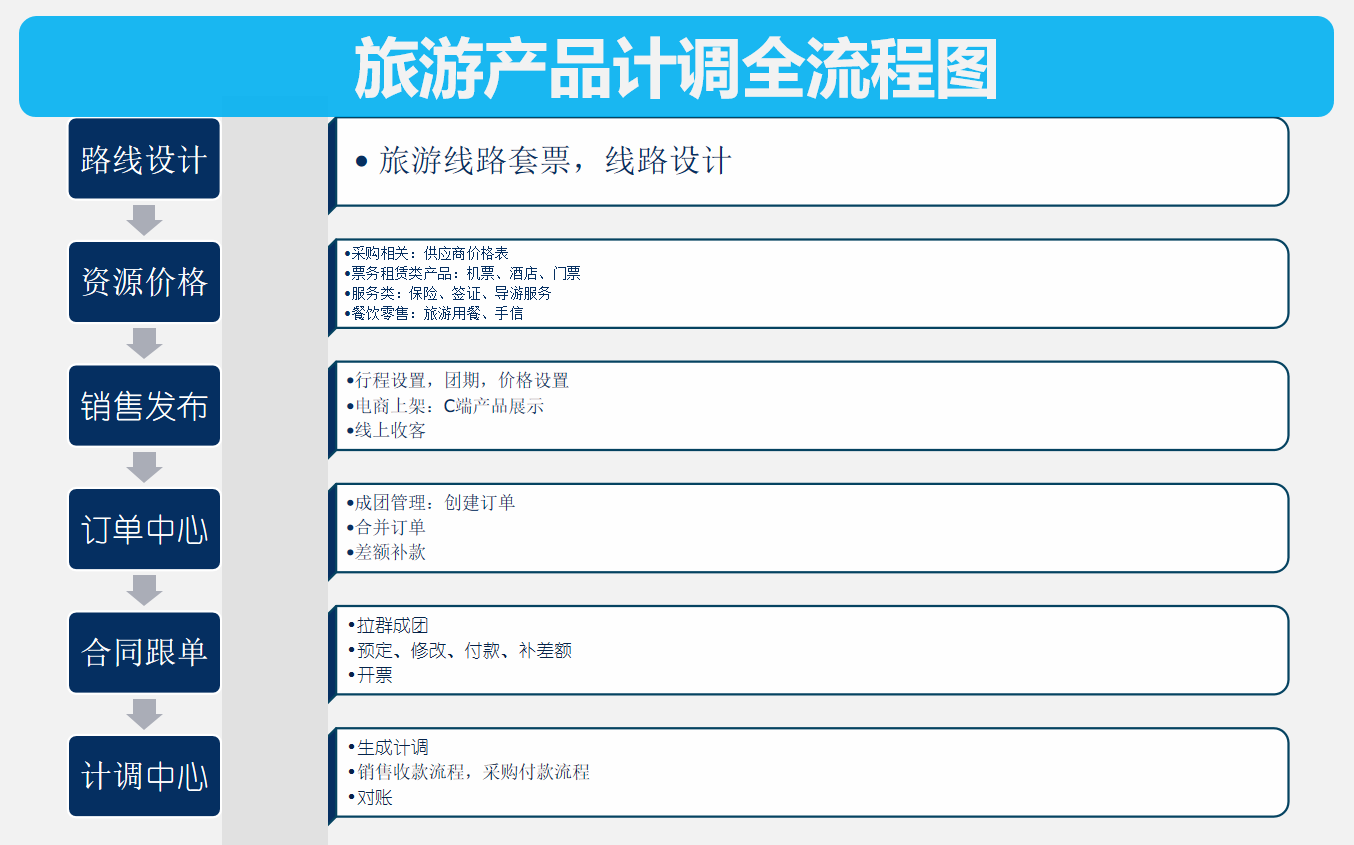
Comprehensively realize travel agency tour management
Odoo smart travel solution is applicable to tourism parks, travel agencies, ticket agents, hotel catering and other travel service providers, comprehensively managing the supply chain and itinerary planning progress tracking related to group tours.
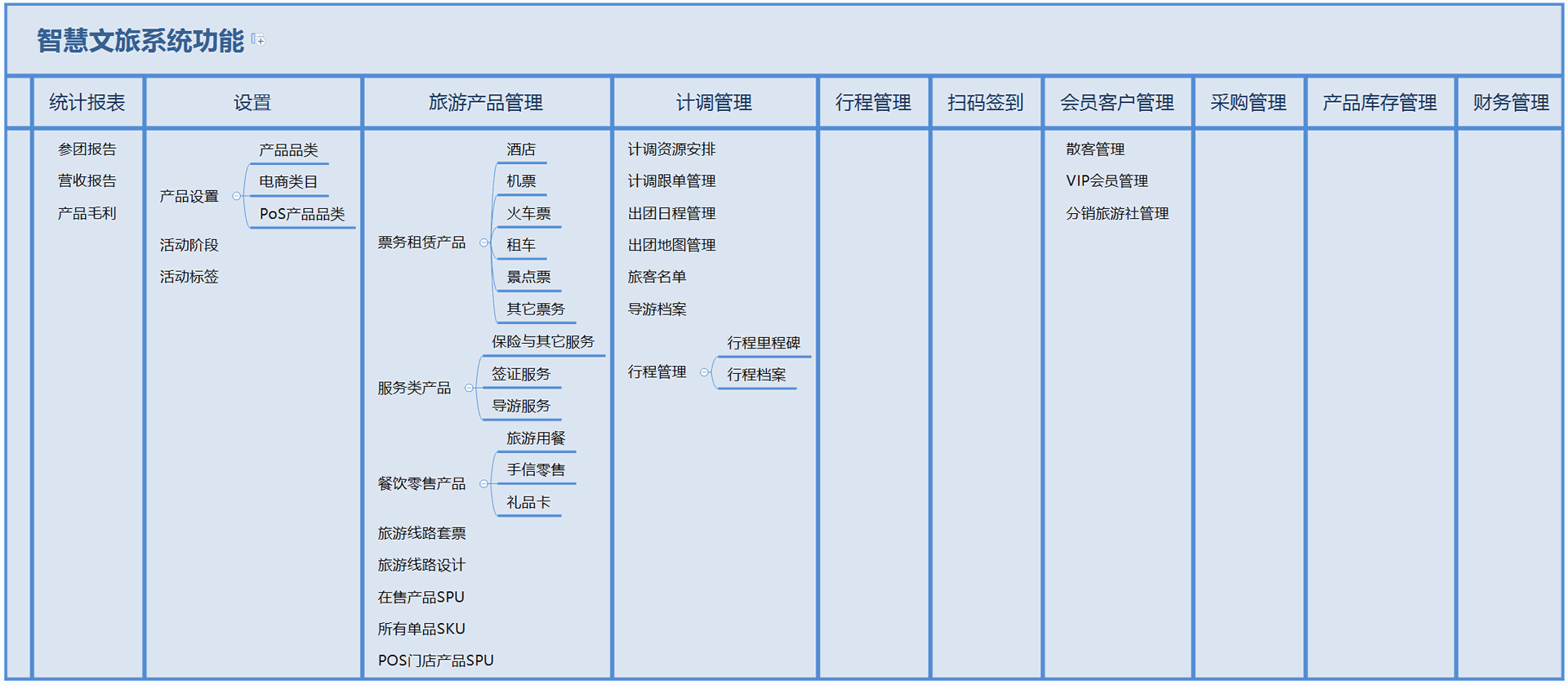
1. Basic Settings
1.1. Category Settings
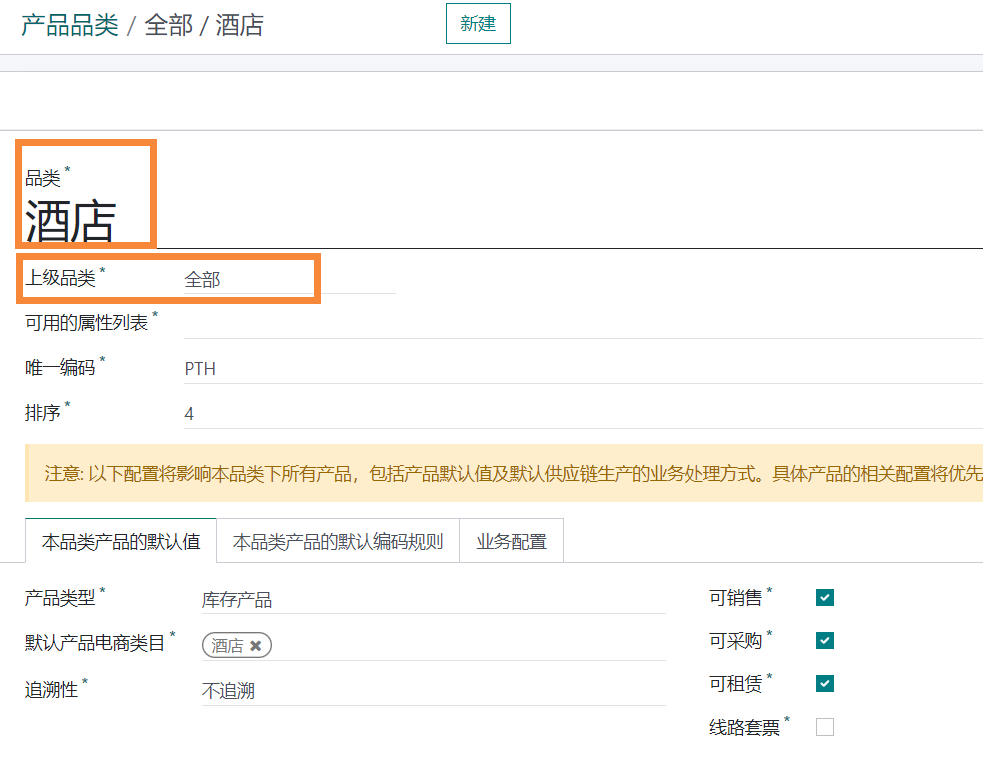
Entry: Tourism Management - Settings - Product categories are all set up. If you need to add or change, you can add them yourself. The items highlighted in the boxes in the following images are all required fields.
1.2. Product Settings
Entry: Tourism Management - Tourism Product Management - Ticket Rental Products
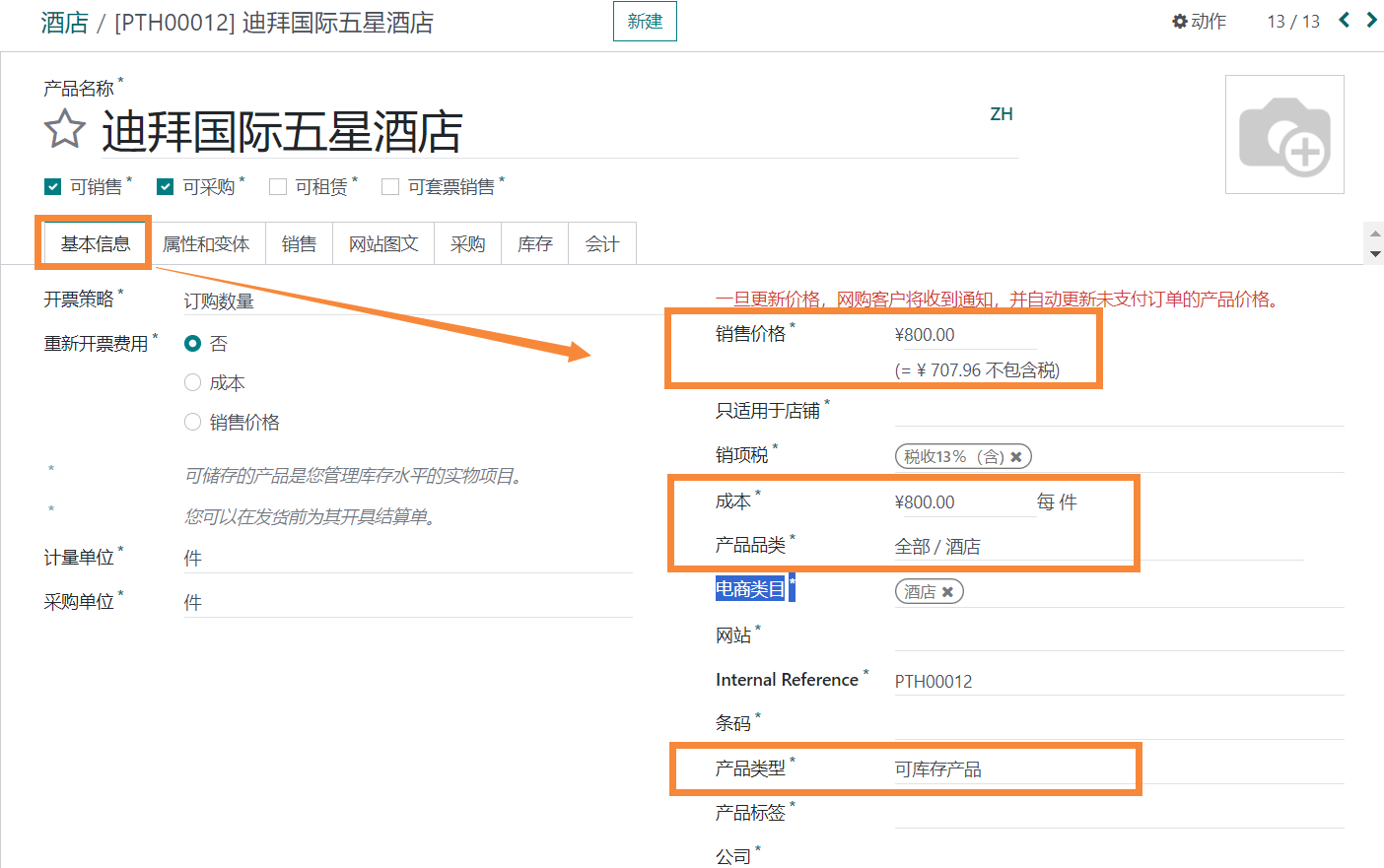
All products involved in travel itineraries, such as air tickets, hotels, visas, attraction tickets, and meals, are components of the itinerary. These products must be created first, and the 【Product Category】 and 【Product Type】 must be selected.
The boxes in the following diagram are all required fields for basic settings
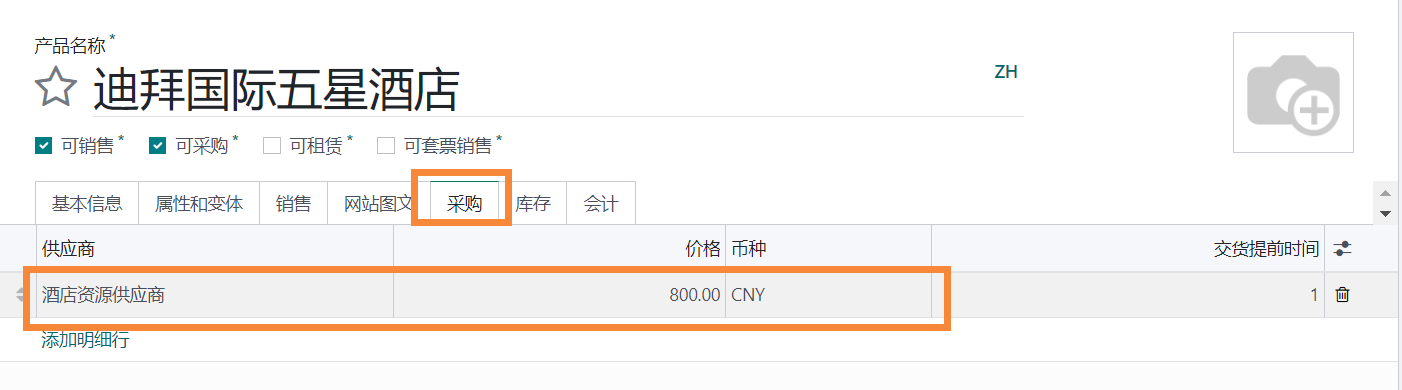
Purchase Price Setting
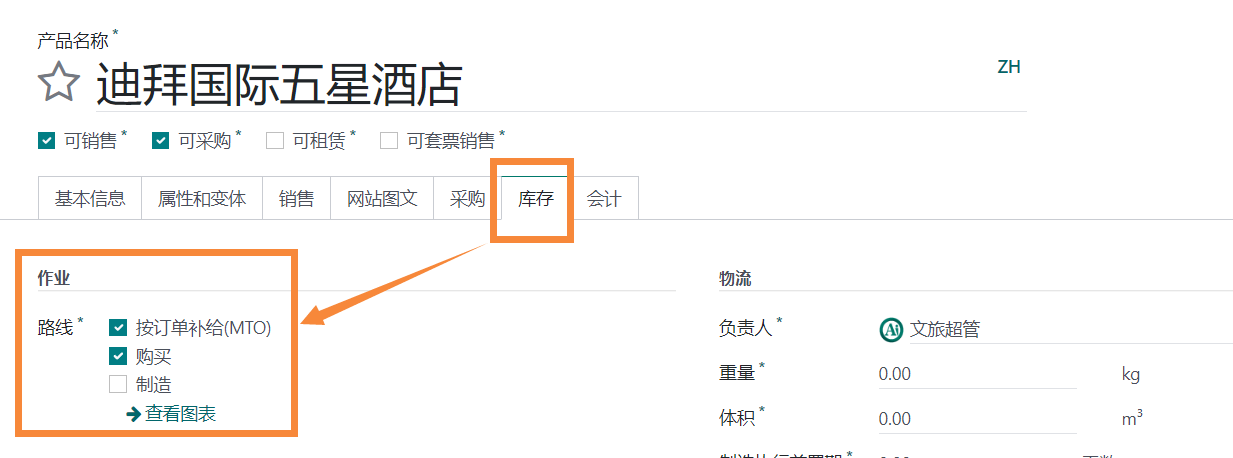
Replenishment route
2. Travel route design
Step 1: Entry: Tourism Management -- Tourism Product Management -- Tour Route Package
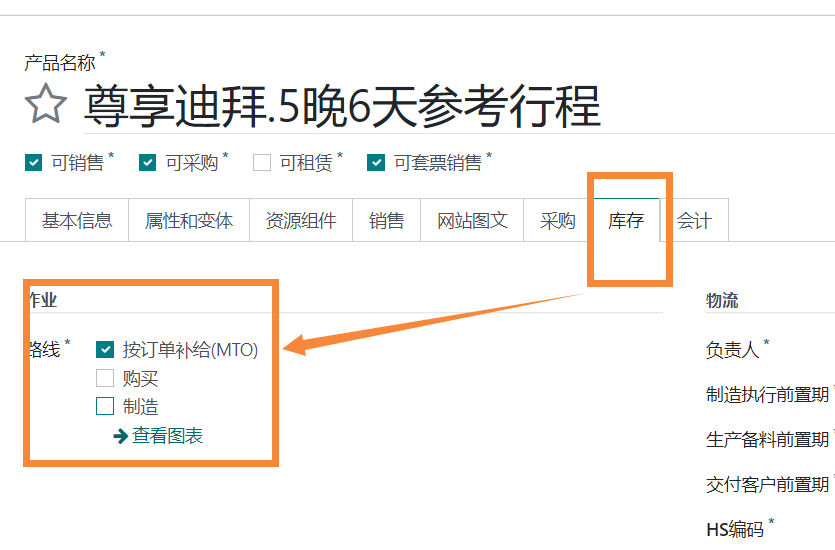
First, create a new product, for example, [Premium Dubai. 5 Nights 6 Days Reference Itinerary], select the product category as [All / Travel Route Package], and choose the inventory route as [Replenish by Order].
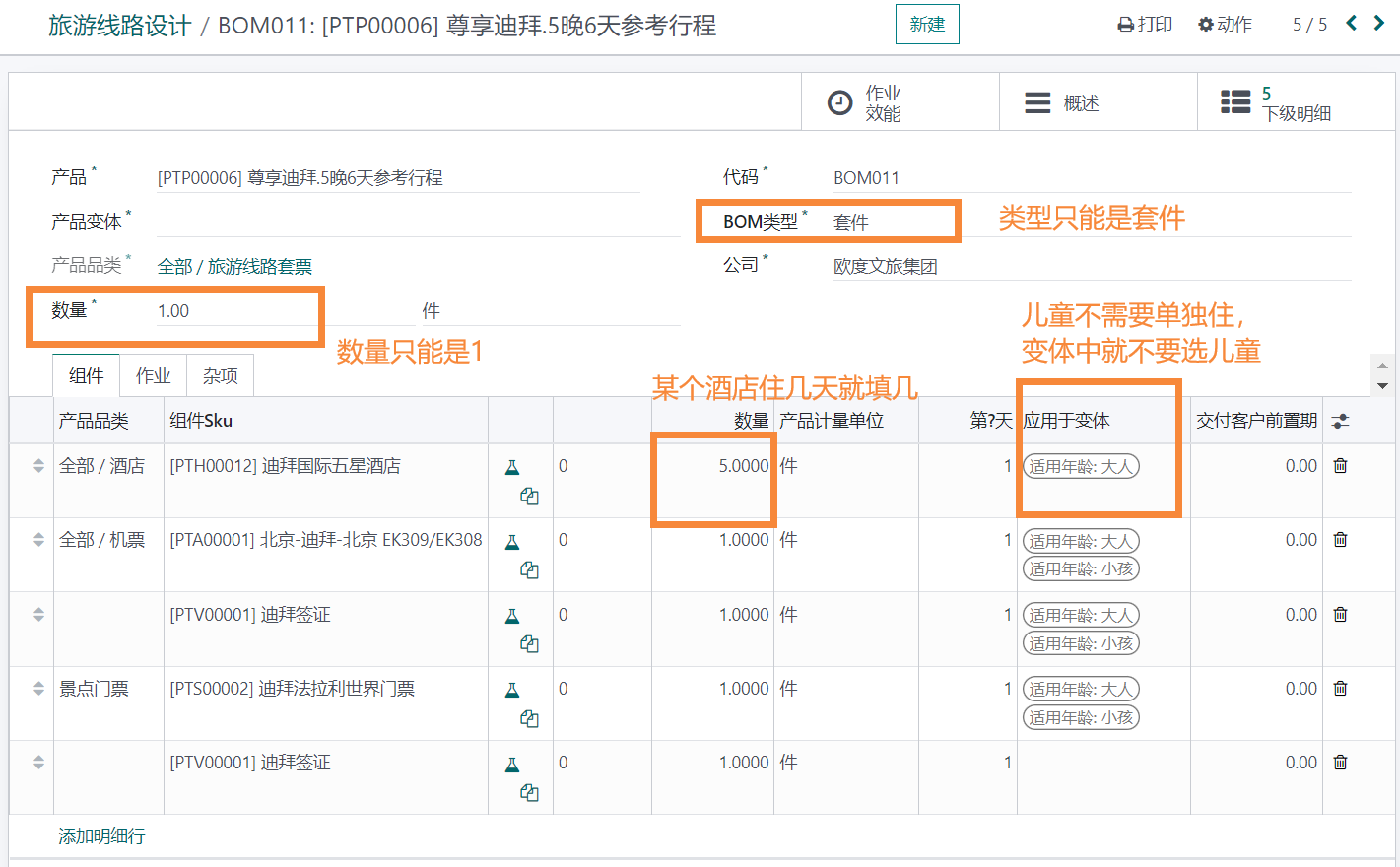
Step 2: Add components to the product, i.e., entry points for air tickets, hotels, visas, etc.: Tourism Management -- Tourism Product Management -- Tourism Route Design, fill in as shown in the figure.
3. Resource Prices
3.1. Basic Price Settings: See Purchase Price Settings in [1.2]
3.2. Supplier Price List
4. Sales Release
4.1. Set Product
Entrance: Tourism Management -- Tour Group Management
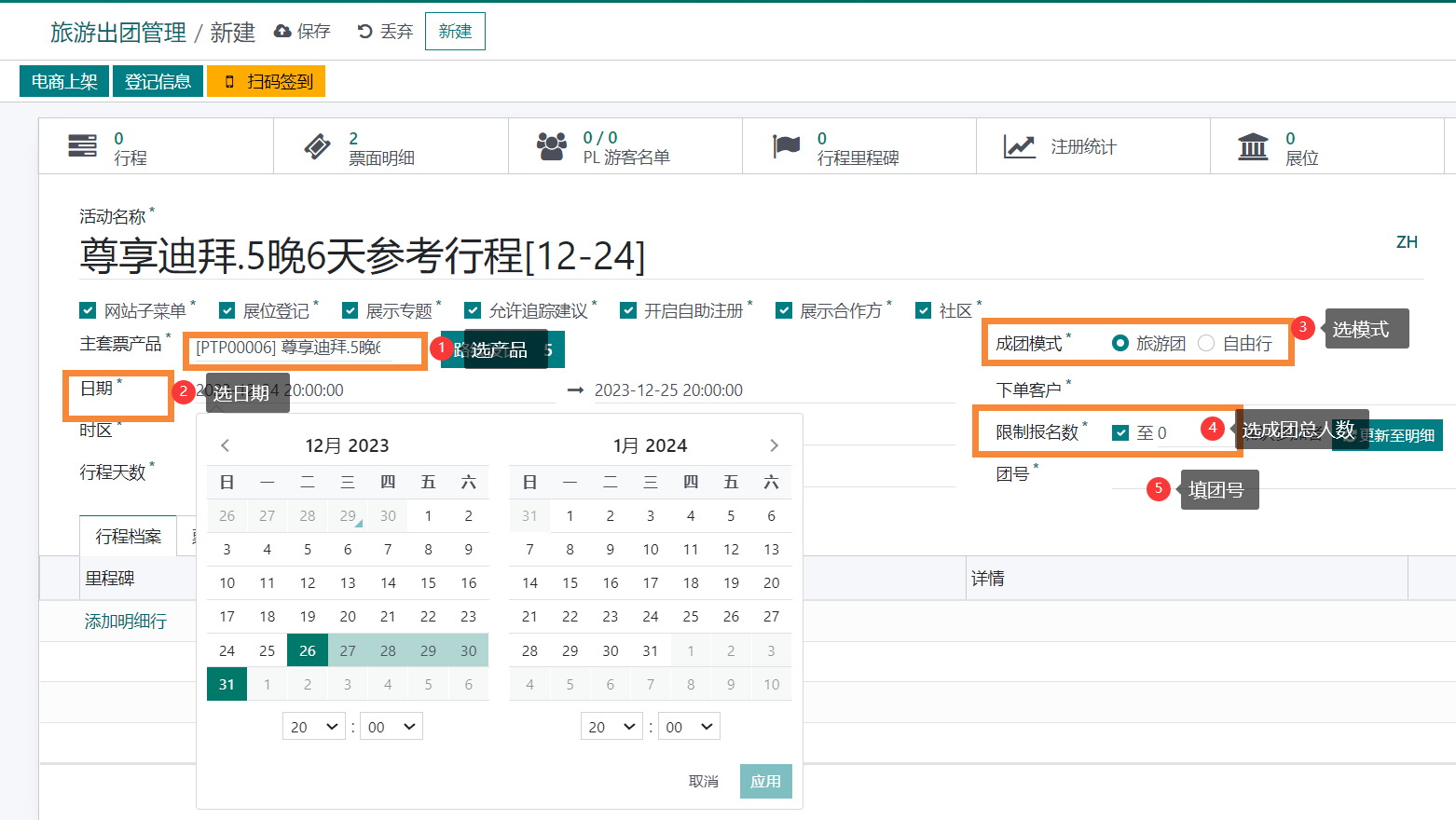

Different prices for adults and children
4.2. Release Product
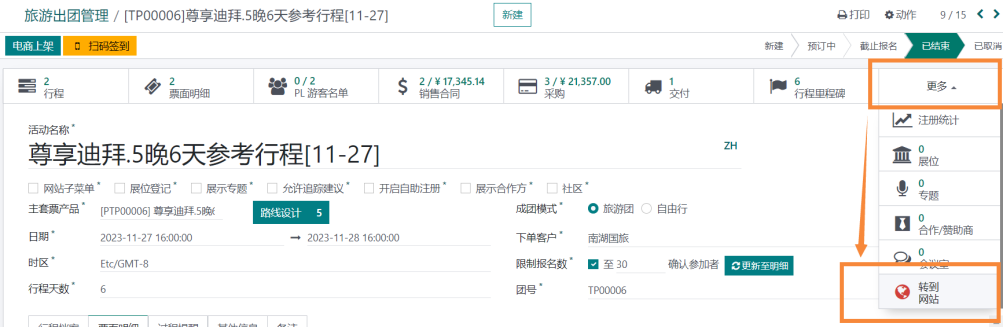
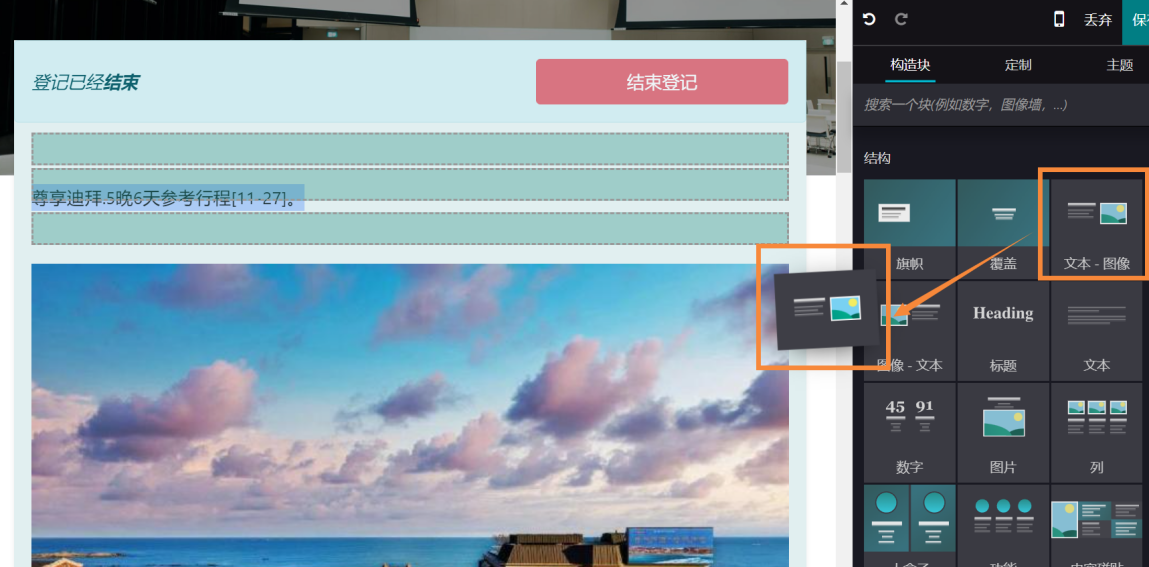
Publish products on the website and edit display images and text
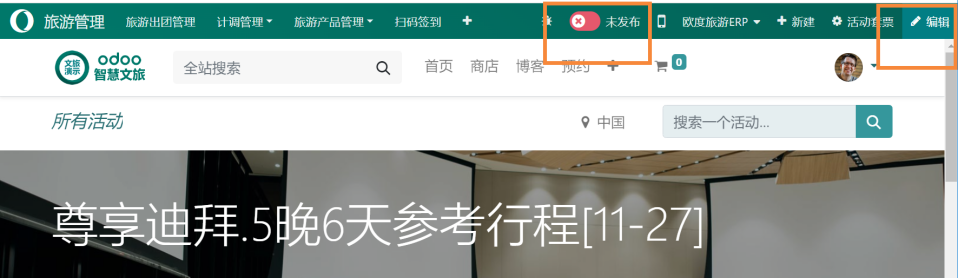
To edit text and images, simply hold down a module and drag it into the page.
5. Order Center
Entry: Tourism Management -- Tour Group Management -- Select the group to manage
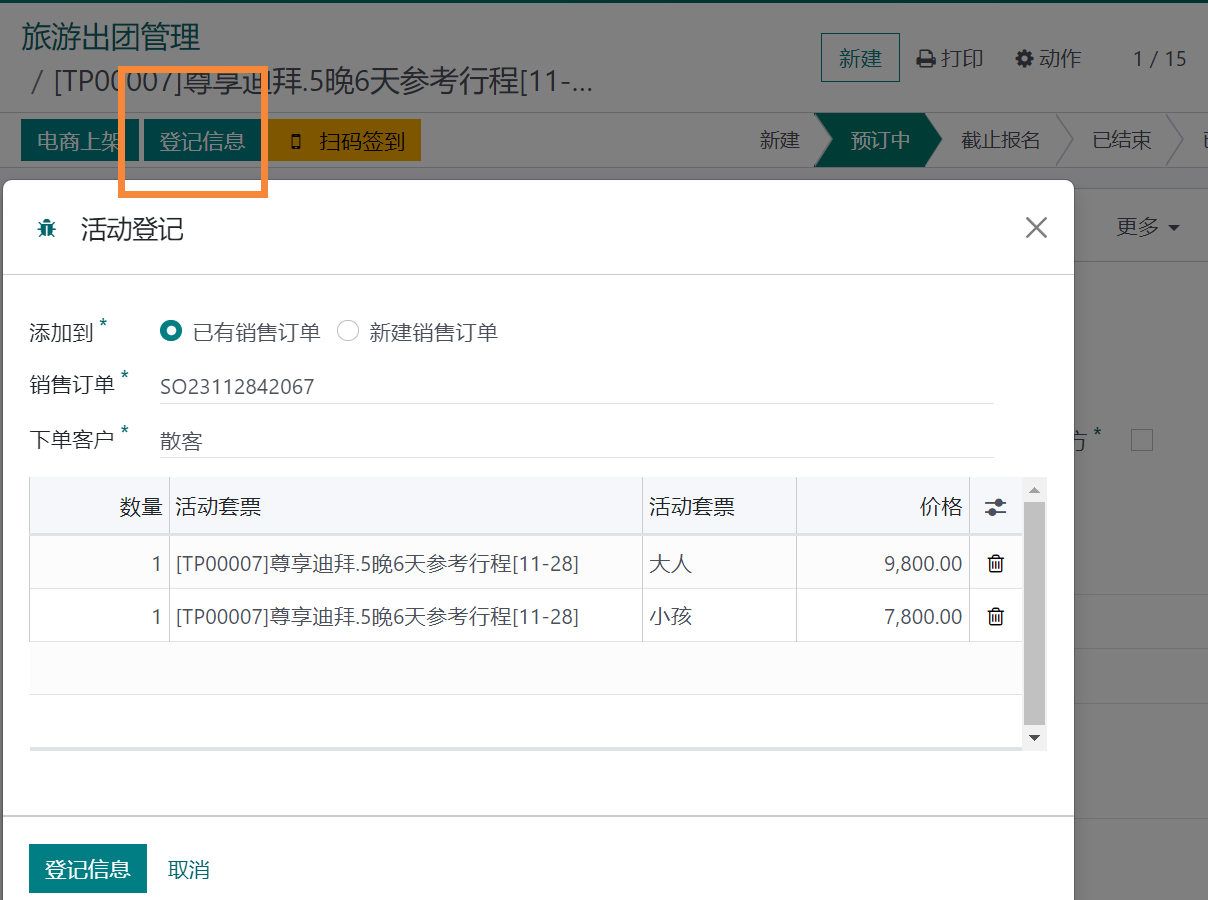
At the registration information section, select [Existing Sales Order] (if purchased via the website), or manually create a new one for the customer.
6. Contract Follow-up
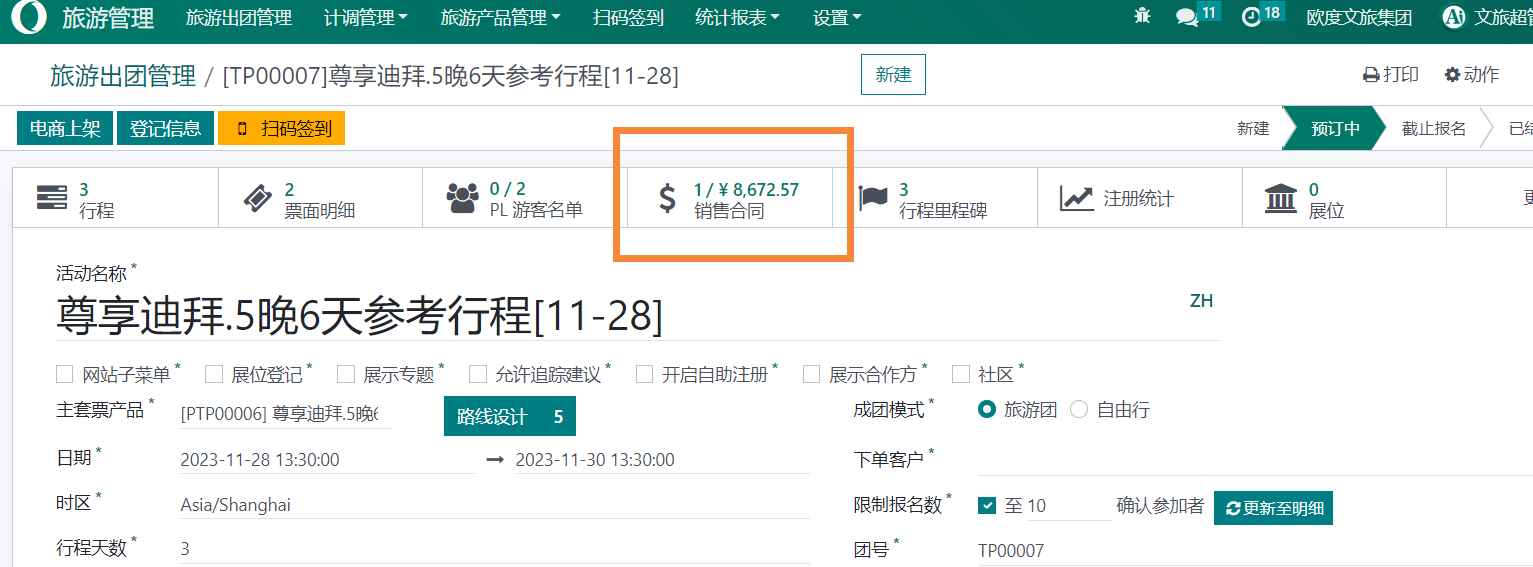
Entry: Tourism Management -- Tour Group Management -- Select the group to manage -- View a customer's sales contract
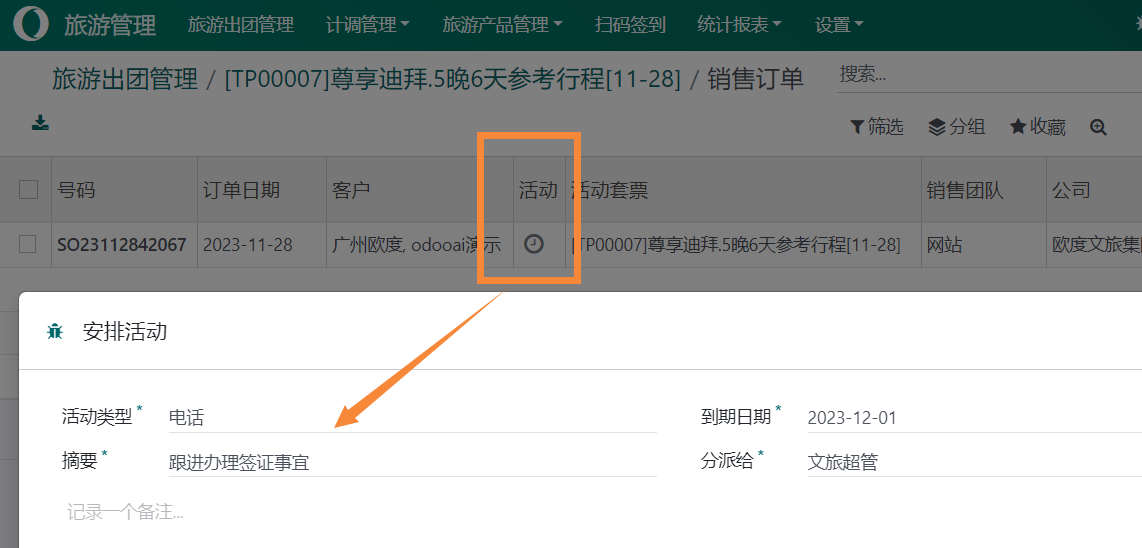
Click on the activity to arrange follow-up on the customer's travel matters.
7. Planning and Dispatching Center
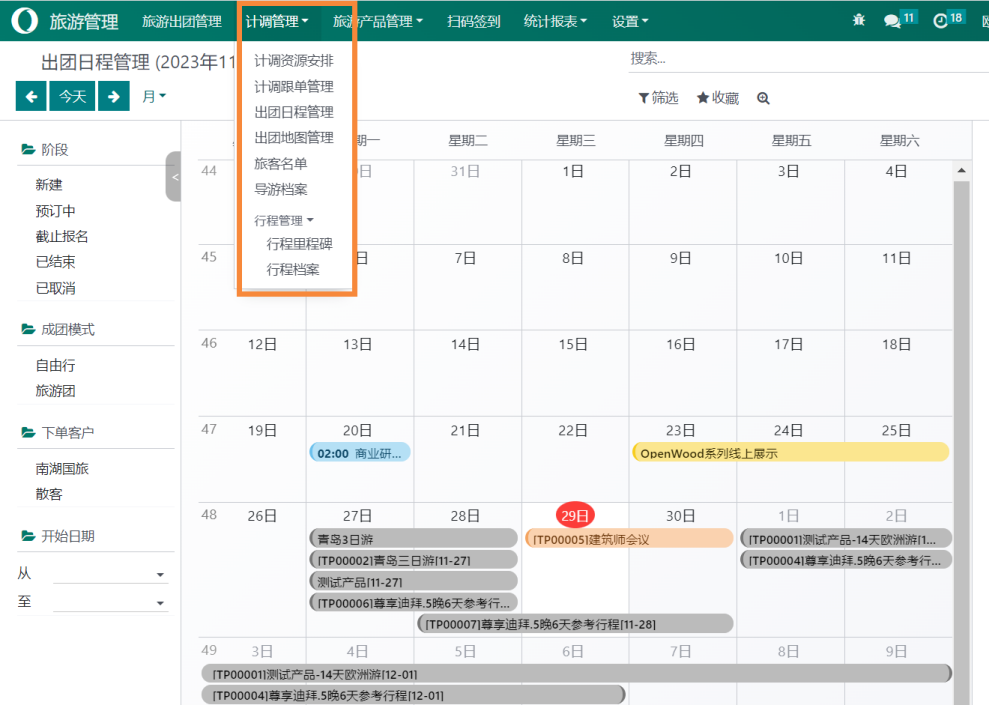
Entry: Tourism Management - Operations Management
All itinerary arrangements related to operations are managed here, and the system automatically generates them based on data from [Tour Group Management].