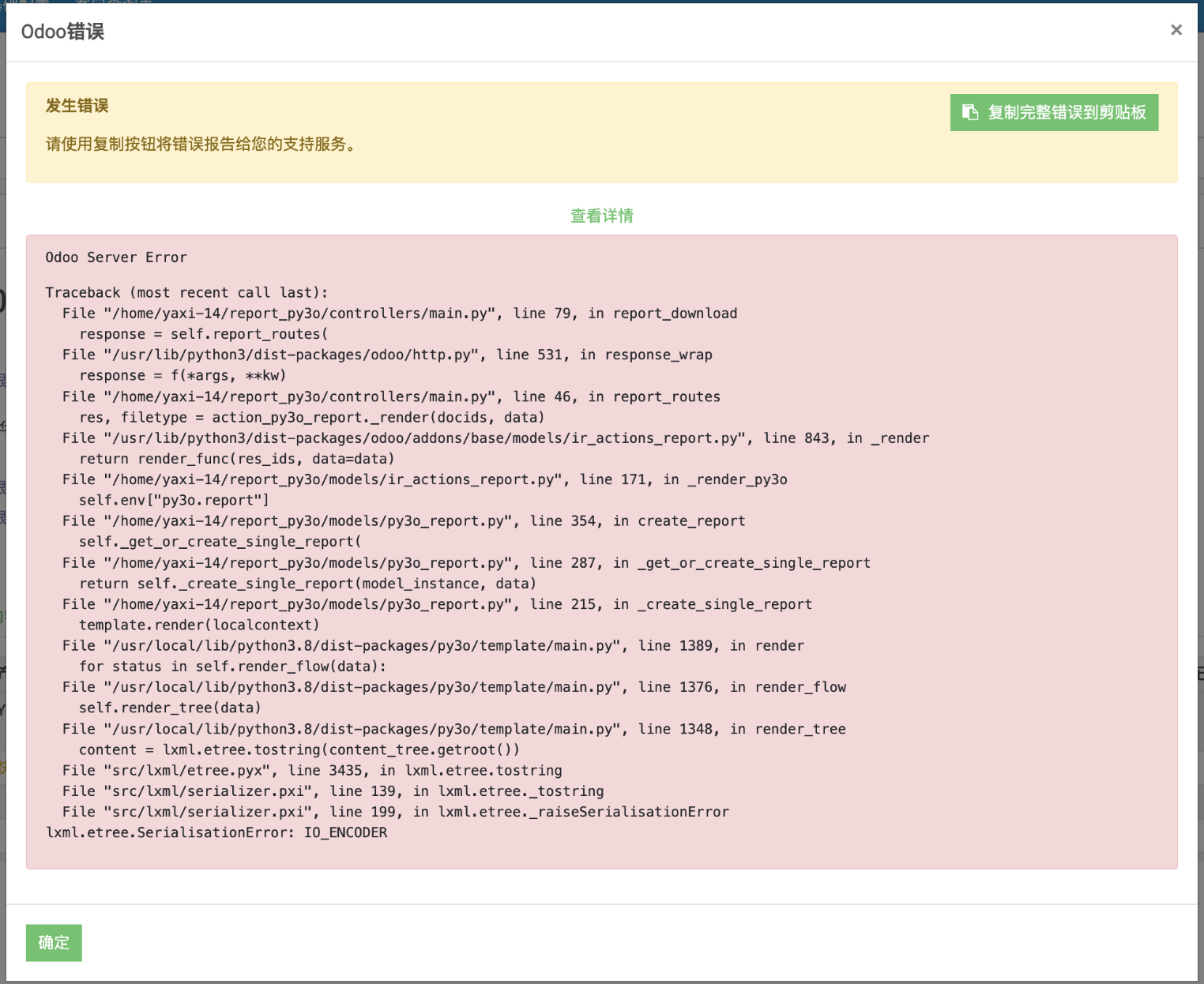
This error message indicates a serialization error (lxml.etree.SerialisationError: IO_ENCODER) occurred while attempting to render a Py3O report. This is usually because the XML document encountered a problem during encoding or decoding.
Solution
- Check XML file encoding
- Ensure that the XML part in the template file (usually .odt or .docx) uses the correct encoding (usually UTF-8).
- You can open the template file with a text editor and check its encoding settings.
- Modify rendering logic
- When rendering a report, ensure that all data is in the correct encoding format. For example, before passing it to the `render` method, you can explicitly convert the string to Unicode.
python# Example code
def render_with_encoding_check(template, localcontext):
    # Convert all string data to Unicode
    for key, value in localcontext.items():
        if isinstance(value, str):
            localcontext[key] = value.encode('utf-8').decode('utf-8')
template.render(localcontext) - Update dependency library
- Ensure that all dependency libraries are up to date, especially lxml and py3o.template. Sometimes, upgrading to the latest version can resolve certain known encoding issues.
bashpip install --upgrade lxml py3o.template
- Check environment configuration
- If none of the above methods can solve the problem, you may need to check the default encoding settings of the entire development environment. Ensure that the environment variable PYTHONIOENCODING is set correctly.
bashexport PYTHONIOENCODING=utf-8
Through these steps, you should be able to locate and resolve the lxml.etree.SerialisationError: IO_ENCODER issue. If the problem persists, please provide more specific information about the template file and data for further diagnosis.