Odoo14 User Manual
Completed
Odoo Barcode User Guide: How to Use Barcodes in Odoo 14
1970 Views •odoo库存管理操作实施详解(一)
3346 Views •odoo库存管理操作实施——产品如何创建详解
3298 Views •odoo库存管理操作实施——产品变体解读详解
3446 Views •odoo库存管理操作实施——产品计量单位设置
2499 Views •odoo库存管理操作实施——产品包装如何配置
2862 Views •使用简体中文及操作odoo
2729 Views •添加用户和管理访问权限
2314 Views •从odoo导出数据
2543 Views •如何生成一个Unsplash访问密钥
2383 Views •如何生成Unsplash应用程序ID
2621 Views •如何适配导入模板
2116 Views •多公司
2316 Views •如何允许用户使用Google帐号登录
2354 Views •如何允许用户通过LDAP帐号登录
1999 Views •付款收单行(信用卡、在线支付)
2378 Views •配置你的Paypal帐号
2539 Views •启用开发人员调试模式
2256 Views •如何开始使用讨论应用
2684 Views •odoo库存管理操作实施——产品变体解读详解
3446 Views •odoo库存管理操作实施详解(一)
3346 Views •odoo库存管理操作实施——产品如何创建详解
3298 Views •odoo库存管理操作实施——产品包装如何配置
2862 Views •使用简体中文及操作odoo
2729 Views •如何开始使用讨论应用
2684 Views •如何生成Unsplash应用程序ID
2621 Views •从odoo导出数据
2543 Views •配置你的Paypal帐号
2539 Views •odoo库存管理操作实施——产品计量单位设置
2499 Views •如何生成一个Unsplash访问密钥
2383 Views •付款收单行(信用卡、在线支付)
2378 Views •如何允许用户使用Google帐号登录
2354 Views •多公司
2316 Views •添加用户和管理访问权限
2314 Views •启用开发人员调试模式
2256 Views •如何适配导入模板
2116 Views •如何允许用户通过LDAP帐号登录
1999 Views •Odoo Barcode User Guide: How to Use Barcodes in Odoo 14
1970 Views •odoo库存管理操作实施——产品变体解读详解
Product Variants
Product variants are descriptions that can be described, under which various products can be described. This factor will allow users to describe variants of the same product across different attributes. The product variant option can be enabled in the settings menu. In the settings menu, users can scroll down to the product description and enable the available product variant option.
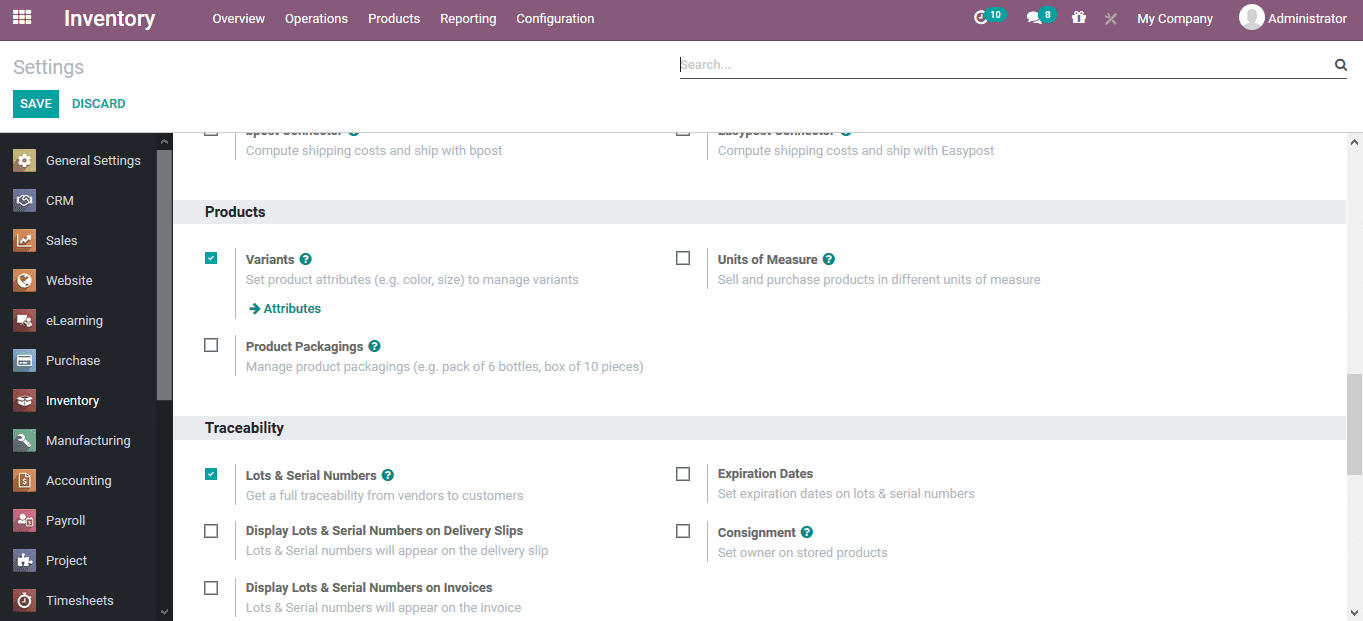
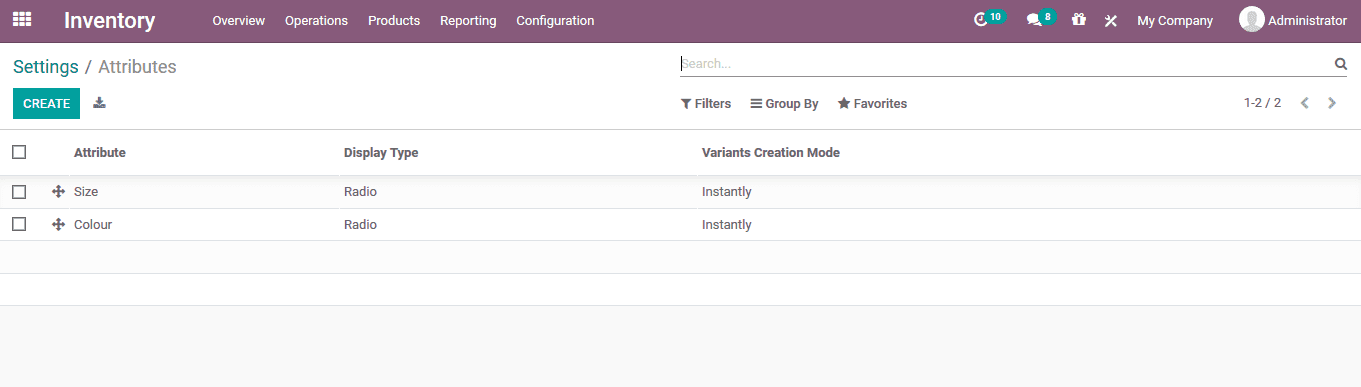
Product variant attributes can be accessed from the settings menu itself, or from the configuration tab.The attributes menu describes all available attributes described in the platform, allowing users to describe and differentiate products.
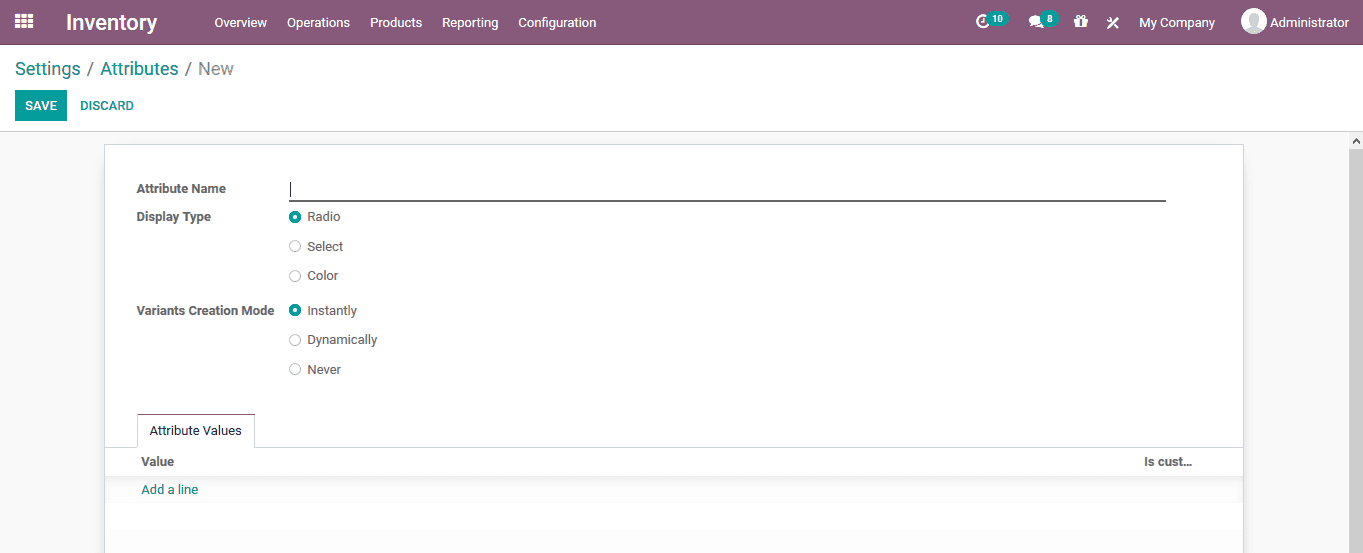
To create a new attribute, users can access the creation menu by selecting the available creation options.In the creation menu, users can define the attribute name, display type, variable creation mode, and attribute value.
Commenting is not enabled on this course.