

Module Overview
The Odoo CRM (Customer Relationship Management) module is a core tool for businesses to manage potential customers, sales opportunities, and customer relationships. It helps enterprises improve sales efficiency, customer conversion rates, and team collaboration through visualized sales processes, automated lead handling, and multi-module integration.
Core Functions and Processes
1. Lead Management
- Clue Entry: Supports manual addition, automatic generation from web forms, email import, and third-party system integration.
- Lead Assignment: Can be assigned manually or automatically to sales personnel based on preset rules.
- Lead Source Record: The system can track lead sources, such as advertising, website registration, exhibitions, phone inquiries, etc.
- Lead Scoring: Automatically calculate potential scores based on conditions to help salespeople prioritize high-value leads.
2. Opportunity Management
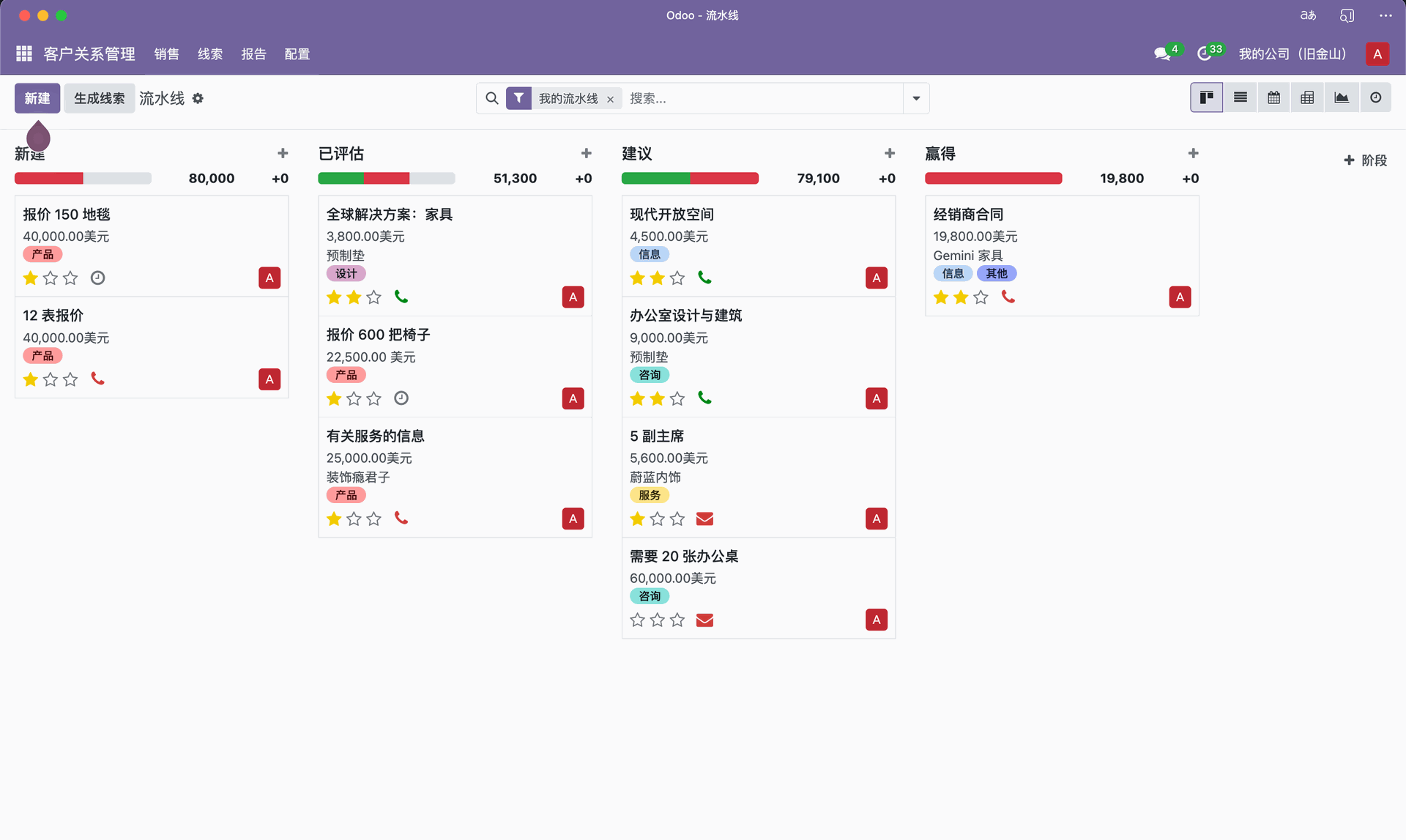
- Sales Funnel (Pipeline): Visually displays each sales stage (such as initial contact, quotation, negotiation, deal closing, etc.) in a kanban view.
- Stage Customization: Customize stages, trigger conditions, and automated actions based on the enterprise sales process.
- Business Opportunity Information Management: includes information such as estimated revenue, probability of success, person responsible, follow-up activities, and customer needs.
- Communication Records (Chatter): Automatically records all related emails, meetings, phone calls, and internal notes, forming a complete history of customer communications.
- Team Collaboration: Supports sales teams in sharing opportunity information and collaborative follow-up.
3. Customer Management (Customers)
- Customer Data Center: Centralized management of customer basic information, contacts, transaction history, and communication records.
- Grouping and Classification: Can be classified by dimensions such as region, industry, customer level, and salesperson.
- Customer Tags: Supports multi-tag management (e.g., "Key Customer", "High-Potential Customer", "Long-Term Cooperation").
- Customer View Integration: Automatically integrate customer sales orders, invoices, and after-sales records to achieve full lifecycle tracking.
4. Activity and Communication Management (Activities)
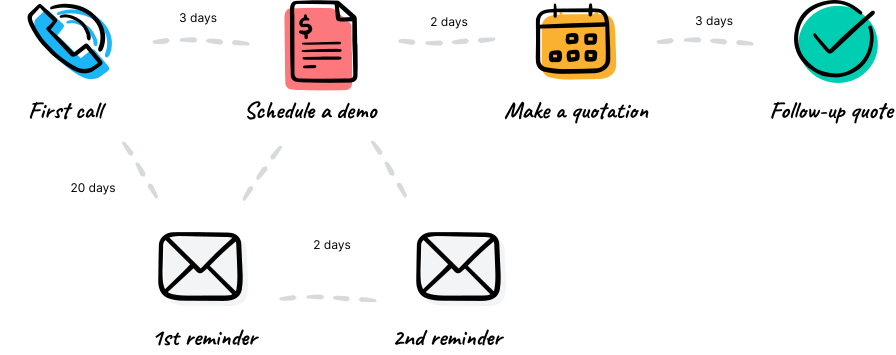
- Activity Arrangement: Sales personnel can create follow-up tasks such as phone calls, meetings, and emails.
- Reminders and Notifications: The system automatically reminds of tasks that are about to expire, ensuring that sales activities are executed on time.
- Calendar Integration: Activities can be synchronized and displayed with the Odoo Calendar module.
- Email Automation: Combine email templates with rules to automatically send customer communication emails at specific stages.
5. Reporting and Analysis
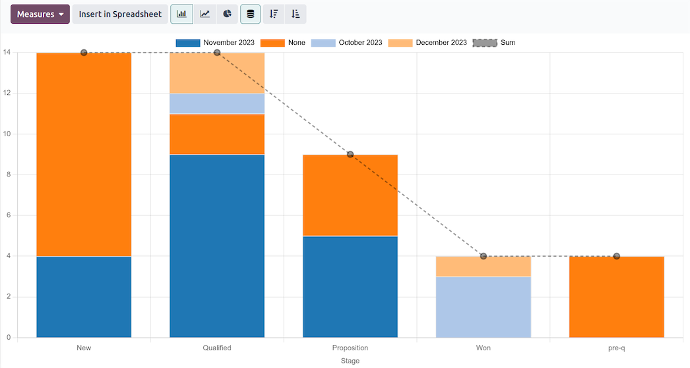
- Sales Funnel Analysis: Statistics on the number, amount, and conversion rate of opportunities at each stage.
- Sales Performance Analysis: Analyze performance by sales team, salesperson, region, or product dimension.
- Customer Analysis: Analyze customer growth, repurchase rate, contribution, and lifetime value.
- Sales Forecast: The system can automatically generate sales forecasts based on historical trends and probabilities.
- Custom Reports: Generate personalized reports and charts via Odoo Studio or custom views.
Advanced Features
-
Automation Rules
Automatically execute actions based on conditions, such as auto-assigning leads, sending notification emails, or updating deal stages. -
Lead Scoring
The system calculates a potential score based on conditions such as customer source, industry, region, and communication records, used for priority judgment. -
Geolocation (GeoIP)
Automatically identify the customer's region to facilitate regional sales management. -
Email and Communication Integration
Bidirectional sync with Outlook, Gmail, and other email services, enabling automatic archiving of emails to customer or opportunity records. -
Web Form Lead Generation
Integrated with the Odoo website module, automatically generates CRM leads after customers submit forms. -
Phone Integration (VoIP)
Combined with the Odoo VoIP module, you can dial directly in the system and record call logs. -
Automatic Lead Assignment
Automatically assign leads to corresponding sales personnel based on rules such as region, sales team, or customer source.
Module Integration Capability
| Integrated Module | Function Description |
|---|---|
| Sales(销售管理) | Business opportunities can be directly converted into quotations or sales orders. |
| Marketing Automation | Email marketing, SMS, or push notifications can be triggered based on customer behavior. |
| Email Marketing | Used for sending marketing emails and tracking metrics such as open rates and click-through rates. |
| Accounting(会计) | View customer invoices, accounts receivable, and payment status. |
| Website / eCommerce | Website registered users or ordering customers are automatically converted into CRM customers. |
| Helpdesk (After-Sales Service) | After-sales requests are automatically linked with customer information to form a complete customer lifecycle view. |
Common Application Scenarios
- Sales Funnel Management: Visually manage sales progress and stages through a kanban view.
- Customer Follow-up Reminder: Prevent leads or customers from being forgotten and improve response speed.
- Sales Forecasting and Performance Evaluation: Combining data analysis to support management decisions.
- Integrated Marketing and Sales: Connect website, email marketing, and CRM to form a closed-loop process.
Implementation and Optimization Suggestions
- Establish standardized sales stages and opportunity processes to ensure consistent team operations.
- Enable automated assignment and reminders to improve sales staff efficiency.
- Regularly analyze sales data, adjust strategies and resource allocation.
- Integrated with the marketing module to achieve full-process management from lead acquisition to deal closure.
- Regularly clean up invalid leads to maintain data accuracy and system efficiency.